
Jobs & customers
Every job carries its customer, address, and history — searchable from the truck.
Field service software
Capture what changed, get the extra work signed off, and bill for it from the same job.
30 days free · no card required.
On iPhone? MoblOps runs in your browser — no download needed.

Example job · A/C drain line
+$180Added to the invoice


Today’s jobs, the crew calendar, and what’s owed — the same live dashboard your team opens every morning.
The MoblOps dashboard

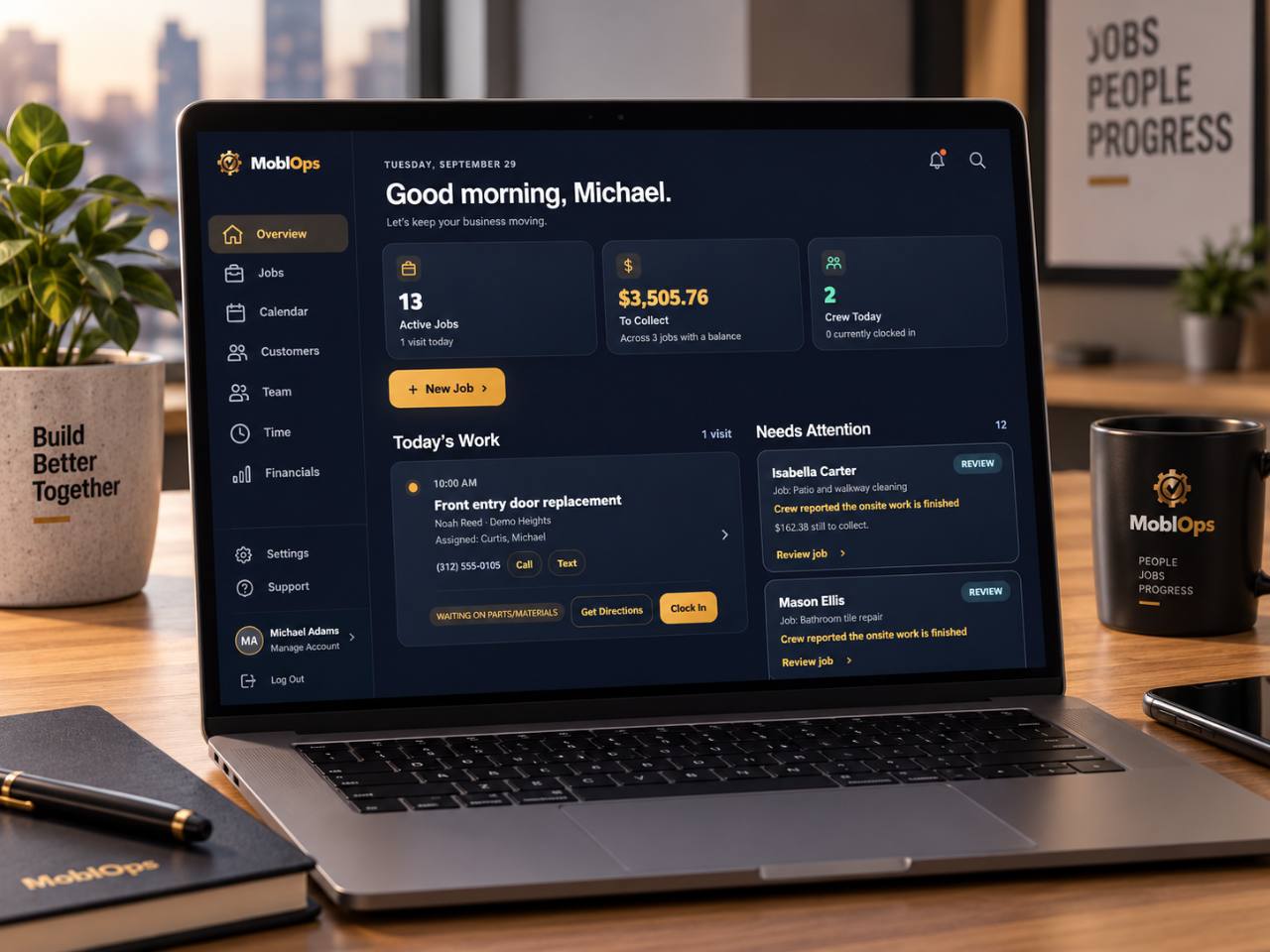
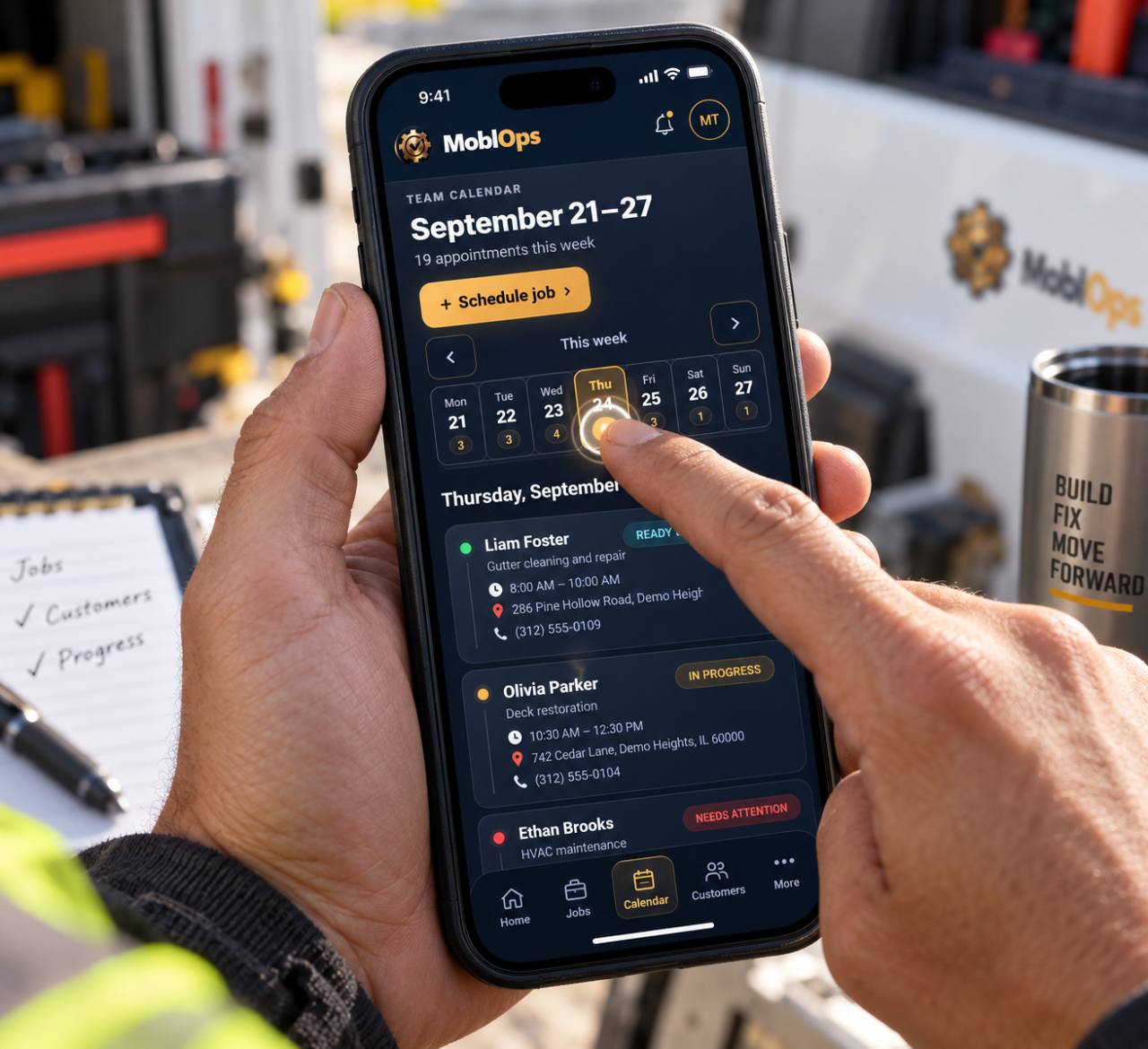
The office and the crew read from the same page — the job carries its schedule, its photos, its paperwork and change orders, and what's owed, from the first call to the final payment.
Keep the work your crew does every day in one connected job record.
Every job carries its customer, address, and history — searchable from the truck.
See who is assigned to each job without texting each person. Schedule work and keep your crew on the same calendar.
Keep photos, receipts, and e-signatures with the job. Record a scope change with a signed change order.
Create invoices from your phone, record payments, and see what is still owed on each job.
Track materials and supplies alongside your jobs — warehouse and van stock in one list, with barcode scanning and low-stock alerts.
Automatic email reminders go out to your customers before each appointment — fewer no-shows, less chasing.
Turn on a booking page for your business so customers can choose a service and request an available time.
Keep working when the signal drops. Supported job updates save on your device and sync when you reconnect.
Nothing's locked behind a higher tier.
One-person shop to a growing crew, no re-pricing.
30 days on your own schedule before you commit.
Used the receipt form, super easy — I’m canceling HouseCall Pro.
Easy to use, saves me time, and gives me peace of mind knowing I’m keeping better documentation while reducing risk.

Built by Jessica Torres.
Meet the founder and get in touch →
Use MoblOps in your browser or download the Android app.
Every plan includes the full job record. Pick the seat count that fits — nothing else changes.
30 days free. No card required. Prices in USD.
Simple answers to the things small service businesses usually want to know first.
MoblOps is built for small contractors and service businesses that need a simpler way to manage jobs, schedules, crews, customers, paperwork, payments, and financials in one place.
Yes. The Starter plan is made for solo operators, while Crew and Growth add room for additional team members as your business grows.
Yes. MoblOps runs in your phone's browser, so iPhone users get the full app with nothing to download. Android users can also install the native app from Google Play.
You can manage jobs, customers, scheduling, crew assignments, time tracking, estimates, invoices, forms, e-signatures, payments, receipts, expenses, inventory, customer reminders, and business financials from the same workspace.
Create your account and business workspace, then confirm your email to start 30 days free. No card or payment is required. Choose your plan and billing interval in MoblOps when you are ready to subscribe.
The trial ends without an automatic charge. Your saved work stays available in read-only mode until you subscribe. After subscribing, you can cancel renewal through your billing provider.
No. Customers can open the secure link you send them and complete supported signatures without creating a MoblOps login.
MoblOps keeps the customer, schedule, crew assignments, documents, invoices, and balances with the job. You can compare it with a manual setup and try it on a real job before choosing a paid plan.
Start with the work you need to manage and how many people need access. Our field-service software comparison shows published starting prices, included users, and the features to check before you choose.

Set up your first job in minutes. No card or payment required to start.